Updated for the new SurveyStance app: manage questions in app.surveystance.com under Survey Kiosk > Survey Management > Questions, then select your survey.
To rearrange or re-order the questions just drag and drop. The new adjusted order will auto save.
How To Drag & Drop Question Order:
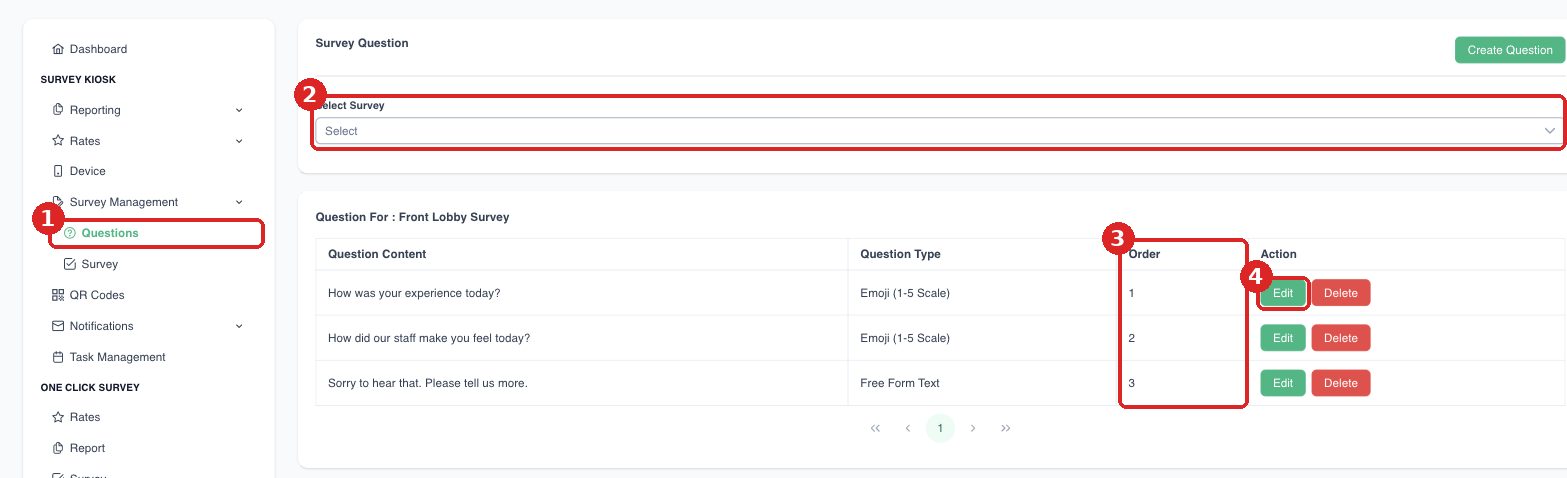
(1) Survey Management > Questions. (2) Select your survey. (3) The Order column shows the order questions appear in. (4) Edit a question.